


CloverVPN - Fast & Unlimited
4.8104.00 Reviews
App Specs
- Version
- 1.2.1
- Updated On
- License
- Free
- Downloads
- 1,000,000+
- Developer
- KANYRIDE
- Categories
- Tools
- Platform
- Android
Screenshots
 Analysis by AppCompare
I see CloverVPN as a straightforward tool for people who want a VPN for routine browsing, not a control panel full of settings to fine-tune. Its appeal is the promise of a quick, stable connection for ordinary internet use. That focus can be welcome when all you want is a little more privacy on a shared network, but it also means I would not choose it on the assumption that it can handle every specialist VPN task.
A useful first test, not a set-and-forget decision
I would approach CloverVPN - Fast & Unlimited as something to evaluate against my own routine rather than as an automatic replacement for every privacy measure. Start with a familiar, low-stakes task: open a news page, check a map, or send a message on a network you use often. Then repeat it with the VPN disconnected. That gives you a practical baseline for connection behavior without relying on a vague impression of whether it feels “fast.”
This comparison is especially useful if you switch often between home Wi-Fi, mobile data, and public hotspots. A difference you notice may come from the network itself, not the VPN. Keeping the test simple also helps you decide whether the added privacy is worth any delay for the activities you care about most.
A simple role for an everyday VPN
I see an everyday VPN as most useful when it solves a small, clear problem without becoming another chore. In this section, I’ll look at where CloverVPN’s simple role can fit into a normal browsing routine, then consider what that simplicity means when comparing it with more specialized options.
Where it fits in a crowded category
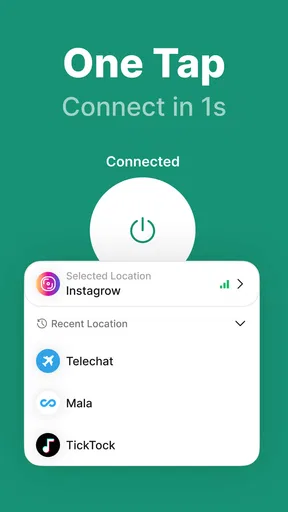
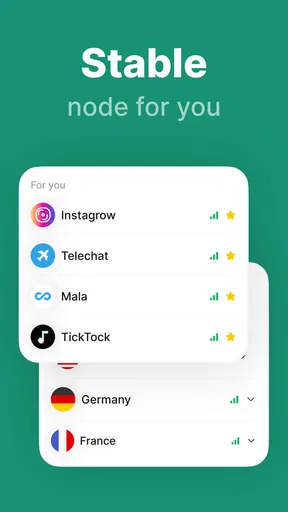
VPNs can be complicated by design: some emphasize server choice, others add advanced network controls, and some bundle privacy tools into a larger security suite. CloverVPN, from developer KANYRIDE, is positioned more simply. It is a free Android VPN app for everyday browsing, and its store summary emphasizes speed, stability, and unlimited use. That makes the basic question less about a long feature checklist and more about whether a low-friction VPN suits your routine.
In practical terms, a VPN can route your internet traffic through a different connection, which may help protect it from casual snooping on an untrusted Wi-Fi network and can change the apparent location of your connection. It does not make you anonymous, erase tracking from accounts or cookies, or guarantee access to every region-restricted service. I would treat CloverVPN as one privacy layer, not a substitute for careful browsing or a broader security plan.
What the app’s standing tells me
The app has a 4.8 average from around 5.2K ratings, with more than 1M installs. Those figures suggest that many users have tried it and that its reception is strong, though ratings cannot tell you whether it works equally well with your carrier, home network, or favorite services. I see them as a useful sign of broad appeal, not proof that every connection will feel fast or that the app fits every privacy need.
Worth Reading Before You Choose

Baby Panda World Brings Quick Play to Modern Phones, but Its Game Library Feels Busy

ESPN’s Live Game View Makes Following Close Games Easier

QuizzLand Review: A Good Fit for Short Trivia Breaks, Not Every Player

Basketball Stars: Multiplayer Is Fast, but Can It Recover When Matches Go Wrong?

WEBTOON Turns Phone Updates Into a Better Reading Routine

Link to Windows Runs on Shared Habits, Not Social Feeds
CloverVPN is free and rated for Everyone, which lowers the barrier to trying it. It is currently at version 1.2.1 and requires Android 6.0 or later. The modest age requirement means it can run on a range of Android devices, but I would still check that your phone receives security updates; a VPN cannot compensate for an operating system that is no longer safely maintained.
How I would use it in an ordinary day
Imagine arriving at a café and needing to check a travel booking or send a work message over public Wi-Fi. A sensible routine is to connect the VPN before opening those apps, confirm that the connection is active, and disconnect when you no longer need it if it affects speed or battery life. That simple sequence is more useful than leaving a VPN on out of habit without noticing whether it is connected.
A second practical use is to keep browsing on a shared network less exposed to other people using that same network. I would still avoid entering sensitive information into a page that looks suspicious, and I would not assume a VPN prevents phishing. Its job is narrower: it changes the path your traffic takes, rather than judging whether a website or message is trustworthy.
Making the café routine more reliable
For a brief stop, I would decide in advance which activity actually needs the VPN. If I only need to read a public page, connecting may not be worth the extra step; if I plan to open personal accounts on shared Wi-Fi, I would connect first and check that it is active before signing in. This small distinction keeps the tool useful without turning every connection into a ritual.
If a checkout, sign-in, or booking page suddenly behaves differently, I would avoid repeatedly resubmitting a form. First check whether the transaction or message went through, then try disconnecting temporarily if the page still fails. Some services react differently to traffic routed through a VPN. Reconnecting afterward is a more measured response than assuming the app has broken the internet connection.
The trade-off behind “unlimited” browsing
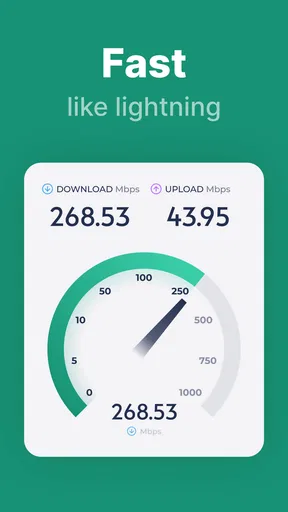
Unlimited use is attractive if you do not want to watch a data allowance, but it does not mean every connection is equally quick. VPN traffic takes an additional route, and the experience can vary with the network, distance, congestion, and destination. A page that loads instantly without a VPN may take longer with one; a video call may also be less forgiving of fluctuating latency than reading or messaging.
That is why I would test CloverVPN against the tasks I actually do, rather than judge it by a single speed impression. Try the same routine on mobile data and Wi-Fi, and note whether calls, uploads, or streaming become less reliable. If a particular activity slows down, switching the VPN off briefly can help identify whether the VPN connection is the cause. For sensitive activity on public Wi-Fi, I would weigh that inconvenience against the added layer of protection.
How it compares with other VPN choices
Compared with a more configurable VPN, CloverVPN’s straightforward everyday role may be easier to approach, but it is a weaker fit if your decision depends on choosing a particular location or adjusting connection behavior. A bundled security suite may make more sense if you want several protective tools managed together. On the other hand, that can mean more settings and a broader product than a person seeking a basic VPN needs.
A paid specialist service is often the more sensible comparison when reliable access to a specific streaming library, work network, or location is central to your plans. I would look for clear support for that exact task rather than assume that any VPN will do it. For occasional browsing protection, a simpler free option may be enough; for a requirement you cannot compromise on, choose based on documented suitability rather than convenience alone.
Where I would be cautious
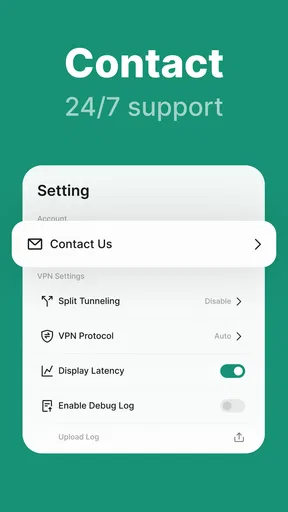
The main limitation is that the simple positioning leaves less room to assess whether the app suits people who need specialist controls. If you rely on a particular server region, need a configurable connection protocol, or want detailed privacy options, you should confirm those needs before making CloverVPN your main VPN. I would not infer those capabilities just from a promise of stable browsing.
I also would not choose any VPN solely because it is free. A VPN provider sits in the path of your traffic, so it is reasonable to read its privacy information and understand what it says about data handling before using it for sensitive work. That advice applies here as it does to paid alternatives. If your job involves confidential material or strict organizational requirements, use a service approved by your employer rather than relying on a general-purpose app.
Streaming is another case where expectations matter. A VPN can alter the apparent location of a connection, but that does not guarantee that a streaming platform will accept it or that playback will remain smooth. If reliable access to a particular catalog is your main reason for installing a VPN, choose a provider that clearly supports that use and check its current compatibility. For casual browsing, that specialized assurance may not matter.
A practical way to decide whether it suits you
Before depending on it for a regular task, try one short session on each network you use most. Check an ordinary page, a sign-in you recognize, and—if relevant—a call or upload that matters to your routine. The point is not to prove a universal speed claim; it is to find out whether your particular combination of phone, network, and apps works comfortably.
I would also separate convenience from trust. A connection that feels smooth is not, by itself, evidence that a VPN’s privacy practices meet a particular standard. Read the privacy information before routing sensitive activity through any provider, and use a work-approved service where policy requires one. That extra check matters more than trying to squeeze a few seconds from a casual browsing session.
Small habits that make a trial more useful
When trying CloverVPN, compare like with like: test the same website or task on the same Wi-Fi network with the VPN on and off. This helps separate VPN-related changes from a crowded café connection or weak mobile signal. If a login page loops or a payment page behaves oddly, temporarily disconnecting can help determine whether the VPN route is interfering; reconnect afterward if you still want the extra network privacy.
It is also worth thinking about when you need protection rather than automatically keeping the VPN active. For public Wi-Fi, connecting before opening personal accounts is a clear habit. At home, the value may be less obvious for routine browsing, while a slower connection could be more noticeable during a video call. The useful choice is situational: keep it on when the added privacy matters to you, and test whether it causes friction for latency-sensitive tasks.
Finally, remember that a VPN does not hide your activity from services where you are logged in. A search engine or social app can still associate activity with your account, and browser tracking can continue. Pairing a VPN with sensible account security, current software, and care with links gives a more realistic privacy routine than expecting one app to solve everything.
Who is likely to appreciate it
I would suggest CloverVPN to someone who wants to try a basic VPN for everyday Android browsing without paying upfront, especially if their main concern is using shared Wi-Fi more comfortably. Its simple purpose is easier to understand than a suite that combines many security tools, and the strong average rating gives a new user a reason to consider testing it. The right test is still personal: see how it behaves on your own network and with your usual apps.
I would steer advanced users toward comparing more configurable VPNs if they need precise server selection, documented privacy practices, or dependable access to a specific service. People who need a VPN for regulated or confidential work should prioritize an organization-approved option. And if your connection is already unstable, adding a VPN may make calls or downloads more frustrating, so first establish whether your ordinary network is the real problem.
My verdict
CloverVPN is most appealing as a low-commitment, everyday VPN trial, not as an all-purpose privacy guarantee. The free price, broad adoption, and uncomplicated focus make it a reasonable candidate for routine browsing, particularly on shared networks. Its strongest practical advantage is that the intended use is easy to grasp; its central caveat is that a simple promise does not answer every advanced user’s questions.
If your needs are modest, install it, test a few familiar tasks, and keep your expectations grounded: a VPN can add a layer between your device and the local network, but it cannot make the whole internet private or make every connection faster. If that balance matches what you want, CloverVPN is worth trying. If you need specialist controls or guaranteed performance for streaming and work, I would compare dedicated alternatives before settling on it.
My recommendation is therefore fairly narrow: consider it for occasional shared-network browsing if you are comfortable checking its privacy information and testing it with your own apps. Skip it as your primary answer when a job, streaming service, or personal workflow depends on a specific VPN capability. For everyone else, a careful trial will tell you more than any general promise about how it should perform.
Pros
- Simple setup makes it easy to connect without configuring advanced settings.
- Useful for protecting traffic when using public Wi-Fi.
- A range of server locations can help access region-specific services.
- Unlimited-use claims mean no advertised monthly data cap.
- The lightweight interface is straightforward to navigate.
Cons
- VPN performance can vary depending on your location and chosen server.
- Free access may include ads or limitations; check the current plan details.
- Some websites and streaming services may block VPN connections.
- A VPN does not guarantee complete anonymity or protect against every online threat.
- Review the privacy policy to understand what connection data may be collected.
FAQs for CloverVPN - Fast & Unlimited
What is CloverVPN - Fast & Unlimited?
CloverVPN is a virtual private network (VPN) app designed to route your internet traffic through a VPN server. This can help protect traffic on public Wi-Fi and may change the IP address websites see. Its name advertises fast, unlimited access, but actual speeds, available server locations, and connection reliability can vary with your network, device, and the service’s current infrastructure.
Is CloverVPN really free and unlimited to use?
The app’s name suggests unlimited VPN use, but that does not by itself confirm whether every feature is free or whether there are limits. Check its current store listing and in-app terms for subscription options, usage restrictions, advertisements, and any trial conditions before installing. Also review whether your mobile plan or Wi-Fi provider imposes data limits, since a VPN does not remove those.
Does CloverVPN protect my privacy and keep my activity anonymous?
A VPN can encrypt the connection between your device and its VPN server, which is useful when using untrusted networks, but it does not make you completely anonymous. The VPN provider may be able to see some connection information, and websites can still identify you through accounts, cookies, or other tracking methods. Before relying on CloverVPN for sensitive activity, read its privacy policy and understand what data it collects, retains, or shares.
How do I use CloverVPN, and does it work on Android and iOS?
The exact setup and supported platforms depend on the version currently offered by the developer. Download the app only from the official Google Play Store or Apple App Store, then review the requested permissions and follow its connection prompts. If you use a VPN, your device may ask you to approve a VPN configuration. Check the store listing for device compatibility and any regional availability restrictions.
Will CloverVPN work for streaming, gaming, or accessing region-restricted content?
Performance for streaming and gaming depends on the server you connect to, your internet connection, and how far away the server is. A VPN can sometimes add latency or reduce speed, and streaming services may block VPN connections or restrict content according to their terms. CloverVPN’s name does not guarantee access to any particular platform or region, so check current service details and applicable rules before depending on it.


